
As a business owner, you probably know what a cheap camera kit delivers: grainy night footage and a blind spot exactly where the van was reversed in. Finding a commercial CCTV installer that you can genuinely rely on comes down to planning and research, not megapixels. This guide covers what to ask for, what is worth paying for, and what your insurer will expect to see before you sign anything off.
Quick answer: Good commercial CCTV starts with a a discussion about your operational requirement, camera positioning, what detail each area needs to be covered, proper low-light performance and secure remote viewing. For insurance and data protection, use an NSI-approved installer who supplies certified documentation and maintenance logs, and follow ICO guidance on recording.
Key Takeaways
-
Decide what each camera is for before choosing hardware. The DORI levels in BS EN 62676-4 turn vague wishes into measurable targets.
-
Night footage fails far more often than daytime footage, so specify low-light sensors, realistic infrared range and wide dynamic range for loading bays and car parks.
-
AI analytics earn their keep by cutting false alerts and making hours of footage searchable in seconds.
-
Operational uses such as tracking pallets, parcels and processes need the same data protection care as security cameras, and audio recording needs a strong justification.
-
Many commercial insurers expect NSI-approved installation backed by maintenance records, so keep every certificate on file.
Commercial CCTV: Start With What the Cameras Must Do
Most disappointing systems fail at the planning stage, not the installation stage. Someone picks a number of cameras, screws them to the corners of the building and hopes for the best. Then, after the first break-in, the footage shows a dark figure at forty metres with no usable face and no number plate. A proper approach to commercial CCTV businesses can trust starts by asking a simple question for every area of the site: what do we need this camera to tell us?
Writing an operational requirement
Security professionals call this an operational requirement, or OR. It need not be a long document. For each zone it records the risk (theft from the yard, staff entrance tailgating, disputes at goods-in), who will watch the footage, whether it will be viewed live or reviewed afterwards, and what a successful outcome looks like. A fabrication unit on Parkwood Industrial Estate might care most about tool theft from vans overnight. A trade counter in Aylesford might be more worried about disputed collections. A farm shop near Staplehurst might simply want to know who came up the drive after closing.
Writing this down first protects your budget. It stops you paying for a high-resolution camera pointed at a fence where you only need to know if someone is there, and it stops you under-specifying the one camera at the front door that has to identify a stranger. It also gives you something to measure the finished system against during commissioning.
Using DORI to set the level of detail
The British and European standard for CCTV application, BS EN 62676-4, uses four levels of detail known as DORI: detect, observe, recognise and identify. Each is defined by pixel density, meaning how many pixels cover one metre of the scene. The maths matters more than the headline megapixel figure. A 4MP camera is roughly 2,560 pixels wide. Point it at a doorway 10 metres across and you get about 256 pixels per metre, enough to identify. Ask the same camera to cover a 40-metre yard and you drop to around 64 pixels per metre, which only lets you observe.
When you compare quotes, ask each installer which DORI level they have designed each camera to achieve. If they cannot answer, the camera positions are guesswork.
Eliminating Blind Spots and Poor Night Footage
Blind spots and unusable night footage are the two complaints we hear most about older systems across Kent. Both are design problems, and both are avoidable when the site is surveyed properly rather than quoted from a satellite image.
Where blind spots really hide
Every camera has a blind area directly beneath it, so a camera mounted high on the eaves often cannot see someone standing against the wall below. Other common gaps sit behind parked trailers and HGVs, in roller-shutter recesses, down side passages, behind bin stores and at the end of racking runs. Good designs overlap fields of view so each camera can see the area beneath its neighbour, which also makes tampering far harder to get away with.
Mounting height matters too. Cameras placed six metres up record the tops of heads and baseball caps. For identification at doors, somewhere around 2.5 to 3.5 metres usually gives a better facial angle while staying out of easy reach. Seasons change things as well: a site in East Malling or West Malling surveyed in February can look very different once hedges and fruit trees are in full leaf, so an experienced surveyor will allow for summer growth.
Getting usable footage after dark
Much commercial crime happens at night, and between November and February it is dark well before most Kent sites close. Manufacturers’ infrared range claims are often optimistic, and infrared brings its own problems: it bounces off rain, mist and cobwebs, and it can wash out faces close to the lens. Modern low-light colour sensors, sometimes paired with discreet white-light illuminators, often produce far more useful evidence because clothing and vehicle colours are preserved.
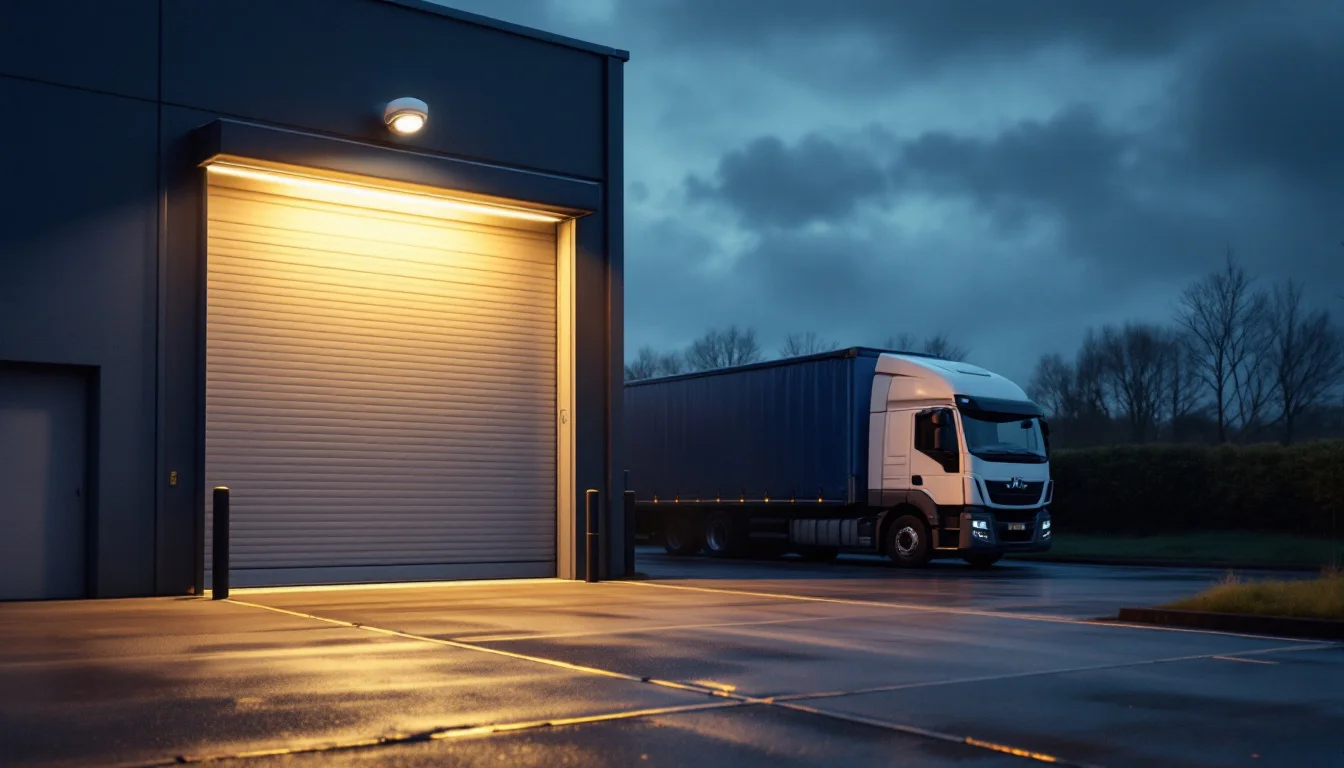
Loading bays need wide dynamic range (WDR), because a dark warehouse interior and a bright doorway in low winter sun can sit in the same frame. Number plates are another specialist job. A general overview camera will rarely read a plate at night because of headlight glare and motion blur, so a dedicated plate-capture camera with a fast shutter and correct angle is the honest answer. Insist on reviewing test footage recorded after dark before you accept the system as finished.
AI Analytics and Remote Viewing: What Is Worth Paying For
Analytics used to be a premium extra that rarely worked. That has changed. The analytics now built into good commercial cameras and recorders are genuinely useful, but it pays to know which features solve real problems and which are just extra lines on a brochure.
Analytics that cut out the noise
The biggest win is person and vehicle classification. Older motion detection triggered on foxes, swaying hedges, passing headlights and rain, so people turned alerts off within a week. Classification means the system only reacts to people and vehicles, which makes overnight alerts worth acting on. Line-crossing and intrusion zones let you set rules such as alerting only if someone enters the yard after 8pm, while loitering detection flags someone lingering at a fire exit.
Smart search is the feature most firms end up valuing most. Instead of scrubbing through eight hours of footage, you can search for a white van, or a person in a red jacket, between two times on specific cameras. For a busy distribution unit in Sittingbourne or an office building at Kings Hill, that can turn a half-day investigation into a few minutes. When weighing up commercial CCTV quotes, ask to see the search tools working on a real recorder rather than in a sales video.
Remote viewing without opening a back door
Being able to check your premises from a phone is now expected. The risk is that a poorly configured recorder becomes the weakest point on your network. Old installations commonly relied on default passwords, open ports on the router and firmware that was never updated, and those systems are a known target.
Ask any installer how remote access is secured. You want unique credentials for every user, two-factor authentication where the platform supports it, separate accounts with sensible permissions (a supervisor may need live view but not export rights), an audit log of who viewed what, and firmware updates included in routine maintenance. It is also worth checking your upload speed: rural broadband around Headcorn or Marden can limit remote viewing, and a good design uses lower-bandwidth sub-streams for mobile viewing while recording full quality on site.
Operational CCTV: Processes, Pallets, Parcels and Audio
CCTV is no longer just about catching burglars. Many Kent businesses now use cameras to run their operations better, and the team at Secure Tech Systems regularly designs systems around operational requirements as well as security ones.
Tracking goods and proving what happened
Picture a customer claiming a pallet left your dispatch bay damaged, or an online buyer insisting a parcel arrived empty. A camera positioned over the packing bench or dispatch lane, with accurate time stamps you can match against your own dispatch records, often settles the argument in minutes. Cameras over goods-in help check deliveries against paperwork, and well-placed views of a production line or picking area can show where bottlenecks or errors creep into a process.
Monitoring staff is where care is needed. The ICO’s guidance on monitoring workers is clear that employees should be told about monitoring, it should be proportionate to a genuine purpose, and covert monitoring is only for exceptional circumstances such as suspected criminal activity. Updating your staff handbook and privacy notice before the cameras go live avoids a lot of trouble later.
Audio recording for audits
Some businesses want high-quality audio, for example at a trade counter where verbal agreements are disputed, or in a controlled area where conversations need auditing. Audio is technically straightforward, but the Information Commissioner’s Office treats it as considerably more intrusive than video. In practice, that means audio should be switched off by default, enabled only on the specific cameras where you can justify it, covered by a data protection impact assessment and clearly mentioned on your signage.
The wider rules apply to every camera on site. Under UK GDPR and the Data Protection Act 2018, you need clear signs, a defined retention period, a process for handling subject access requests within one month, and you should check whether you need to pay the data protection fee. The government’s overview of data protection is a useful starting point if you have not dealt with this before.

Why NSI-Approved Installation Matters for Insurance
This is the part many buyers only think about after a claim, which is exactly the wrong moment. Many commercial insurers specify that security systems must be installed and maintained by an approved company, and a system fitted by an unaccredited installer can leave you arguing with your insurer at the worst possible time.
What NSI approval actually means
The National Security Inspectorate (NSI) is an independent certification body for security and fire companies. Approved firms are audited against the relevant British and European standards, including how systems are designed, installed, commissioned and maintained, and how staff are security screened. It is not a sticker bought once; companies have to keep meeting the standard to keep their approval. Secure Tech Systems is a fully NSI NACOSS approved company based in Maidstone, designing, installing and servicing commercial systems to these national standards.
Before signing a contract, read your policy schedule or ask your broker exactly what your insurer requires. Wording varies between policies, and some insurers ask for specific certification or maintenance frequencies for higher-risk premises such as those holding stock, plant or cash.
Maintenance logs and certified documentation
Installation is only half the job. Cameras drift out of alignment, lenses collect grime and spider webs, hard drives fail and recorder clocks wander, and an inaccurate time stamp can undermine evidence. Planned maintenance visits catch these problems before you need the footage. Each visit should leave you with a written record of what was checked, cleaned, adjusted or replaced.
Keep a folder, physical or digital, holding your certificate of installation, the camera schedule showing what each camera covers, commissioning records, as-fitted drawings and every maintenance report. When an insurer, loss adjuster or Kent Police asks questions after an incident, that paperwork shows your system was designed and kept to standard. Whichever route you choose for commercial CCTV Maidstone premises, ask how the installer will provide these documents and how footage is exported securely for evidence.
Frequently Asked Questions
How much does commercial CCTV cost?
It depends heavily on site size, camera count, cabling routes and analytics. As a typical UK market guide, a professionally installed four-camera IP system for a shop or modest unit often falls between roughly £1,500 and £3,000, while eight to sixteen cameras for a warehouse or yard can run from about £4,000 to £12,000 or more. Annual maintenance commonly sits between £150 and £400. A site survey is the only way to get an accurate figure for commercial CCTV projects.
How long should a business keep CCTV footage?
The law does not set a fixed period. The ICO expects footage to be kept no longer than you need it for your stated purpose. Many businesses settle on around 28 days, which allows time to discover and report most incidents, but your own risk and storage capacity should drive the decision. Footage relating to an incident can be saved separately for as long as needed.
Do I need signs for business CCTV?
Yes. People should know they are entering an area covered by CCTV before they are recorded. Signs should be clearly visible and state who operates the system and how to contact them. If any cameras record audio, the signage should say so.
Can I upgrade my old analogue system rather than replace it?
Sometimes. Existing coaxial cabling can occasionally be reused with HD-over-coax cameras or hybrid recorders, which can lower the cost of an upgrade. However, if you want advanced analytics, higher resolutions or a larger system, a full IP installation is often the better long-term choice. A survey will show which approach makes sense for your building.
What happens during a free site survey?
An engineer walks the site with you, talks through your concerns and operational needs, checks lighting, mounting points, cable routes and network connections, and notes where blind spots and night-time problems are likely. You should then receive a clear proposal explaining what each camera is for and how the system meets your insurer’s requirements.
Whether you manage a unit in Medway, a showroom in Ashford, a packhouse near Paddock Wood or offices in central Maidstone, the right CCTV system is one designed around your site, your risks and your insurer. The team at Secure Tech Systems is NSI approved, based in Maidstone and serves all Kent postcodes, with 24/7 dedicated support once your system is live. If you are weighing up options, arrange a free site survey and get honest advice on what your premises actually need.